

Moving Poisson#
This tutorial follows python/demo/demo_moving_poisson.py. The background
mesh and finite element space are fixed, while a circular level set moves
through the domain. The key point is that the CutData object is created once
for the reusable level-set function and then refreshed with
cutfemx.update(cut_data) after the level-set coefficients change. The entity
lists, runtime quadrature, ghost facets, assembled system, and cut-domain
output are then rebuilt from the updated cut state.
The update pattern is an implementation detail, while the underlying unfitted
moving-domain formulation is related to the CutFEM references in the related
literature below.
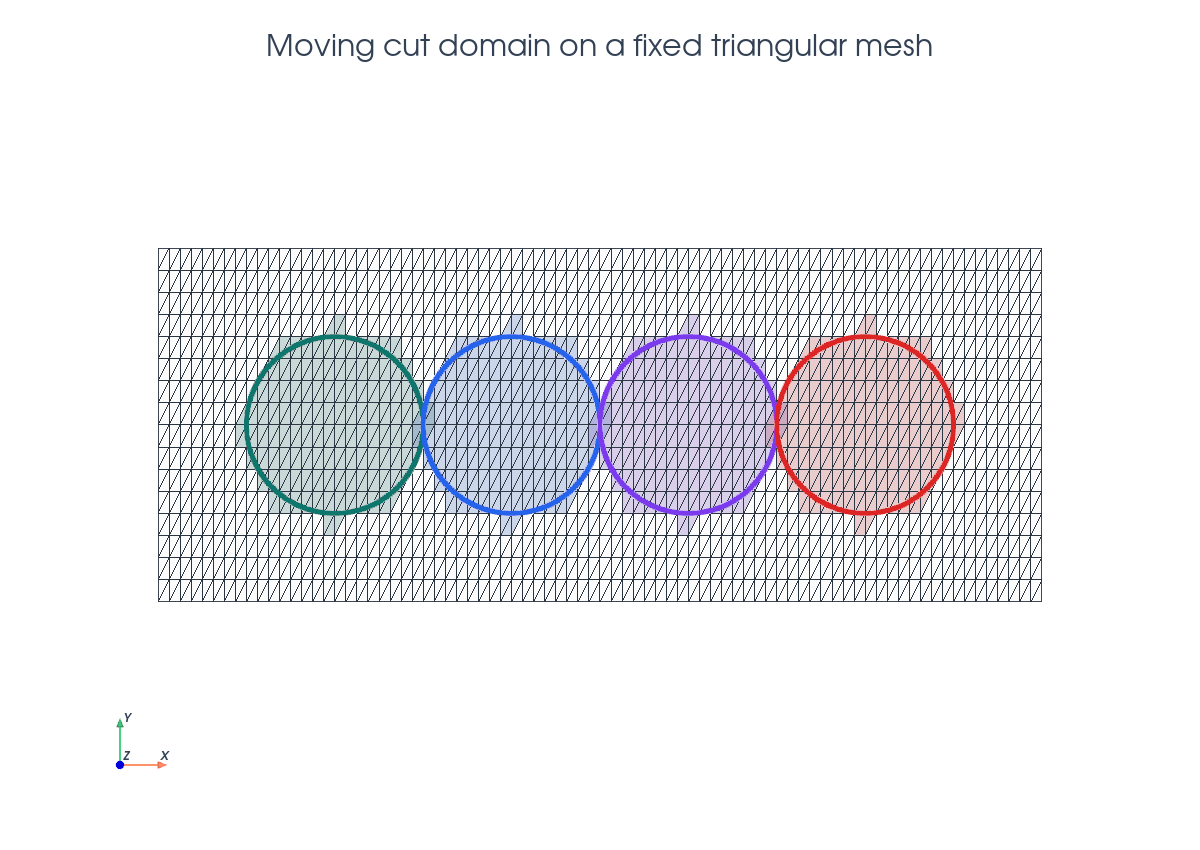
Model Problem#
At step \(k\), the physical domain is the moving disk
The demo solves
using symmetric Nitsche terms on the embedded boundary.
Implementation Order#
The demo has two implementation units. First, the top-level script creates the
fixed mesh, scalar space, reusable phi function, and initial cut_data
object. Then each loop iteration calls solve_step(...) followed by
write_step_xdmf(...).
Inside solve_step(...) the order is:
Interpolate the moved circle level set into the existing
phi.Call
cutfemx.update(cut_data)to refresh the existing cut state from the newphicoefficients.Locate inside and cut cells, create runtime rules, and select ghost facets from the updated
cut_data.Build the Nitsche Poisson form with constant source
1and homogeneous boundary value.Assemble, deactivate inactive dofs from the CutFEMx form active domain, and solve.
Return the updated cut state, solution, and diagnostic entity lists to the loop.
write_step_xdmf(...) then writes the background fields and the physical cut
mesh for that same step.
Fixed Mesh And Function Space#
The mesh is created once on [-1,4] x [-1,1] with triangular cells. The
scalar finite element space is reused for every moving-domain solve.
msh = mesh.create_rectangle(
    comm,
    ((-1.0, -1.0), (4.0, 1.0)),
    (5 * n, n),
    cell_type=mesh.CellType.triangle,
)
V = fem.functionspace(msh, ("Lagrange", 1))
phi = fem.Function(V, name="phi")
phi.interpolate(circle_level_set((0.0, 0.0), radius))
phi.x.scatter_forward()
cut_data = cutfemx.cut(phi)
The top-level loop then keeps passing that same cut_data object into
solve_step(...). Inside solve_step(...), the first operation after changing
phi is cutfemx.update(cut_data), so the geometry is refreshed in place
before the current step is classified, assembled, solved, and written.
for step in range(steps):
    center = (float(step), 0.0)
    cut_data, uh, inside_cells, cut_cells, ghost_facets = solve_step(
        msh,
        V,
        phi,
        cut_data,
        center,
        radius,
        order,
        gamma,
        gamma_g,
    )
    uh.name = f"u_h_{step:02d}"
    write_step_xdmf(output_dir, step, cut_data, phi, uh)
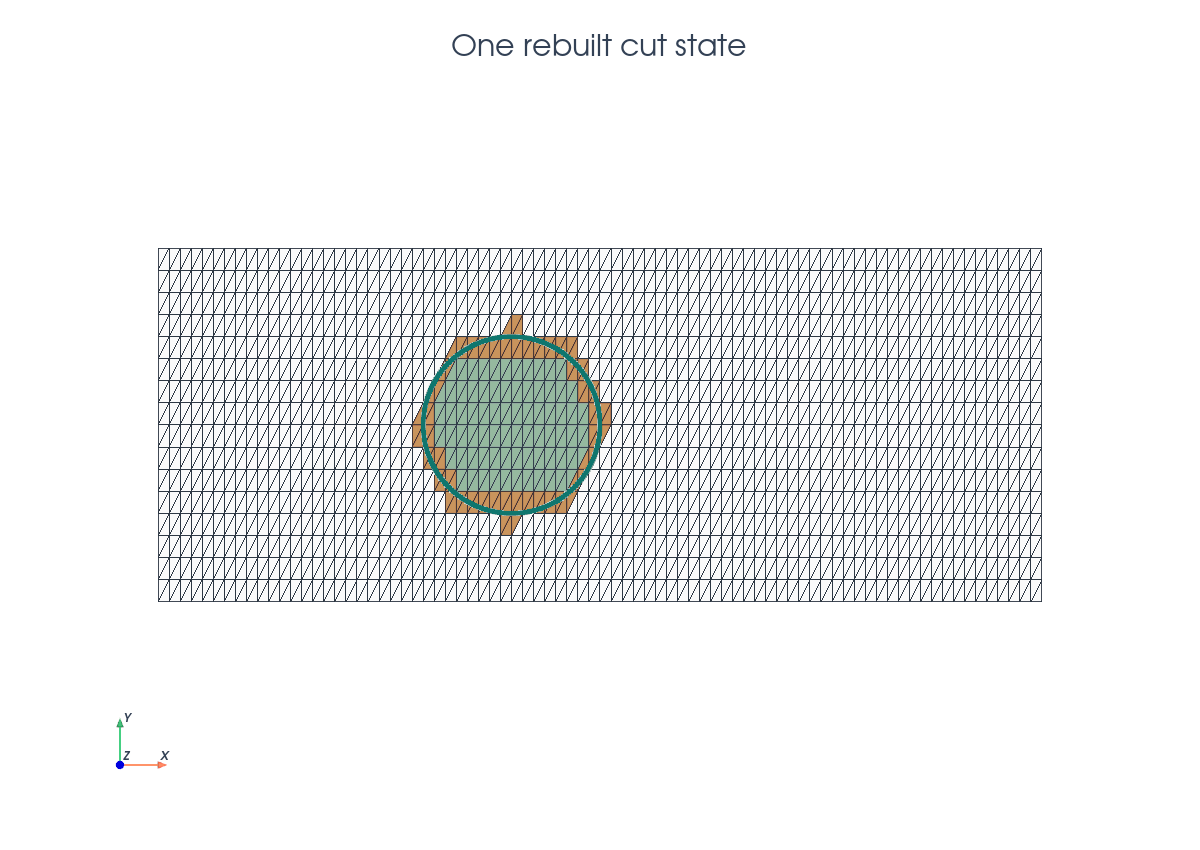
Updating One Cut State#
Only the level-set coefficients and the CutFEMx geometry state change from one
step to the next. The demo therefore keeps the same phi and cut_data
objects and updates their contents in place.
phi.interpolate(circle_level_set(center, radius))
phi.x.scatter_forward()
cutfemx.update(cut_data)

inside_cells = cutfemx.locate_entities(cut_data, "phi<0")
cut_cells = cutfemx.locate_entities(cut_data, "phi=0")
cutfemx.update(cut_data) is the operation that makes the existing geometric
cut state follow the moved level set. The calls after it intentionally rebuild
the step-local classifications and quadrature data from that refreshed state.
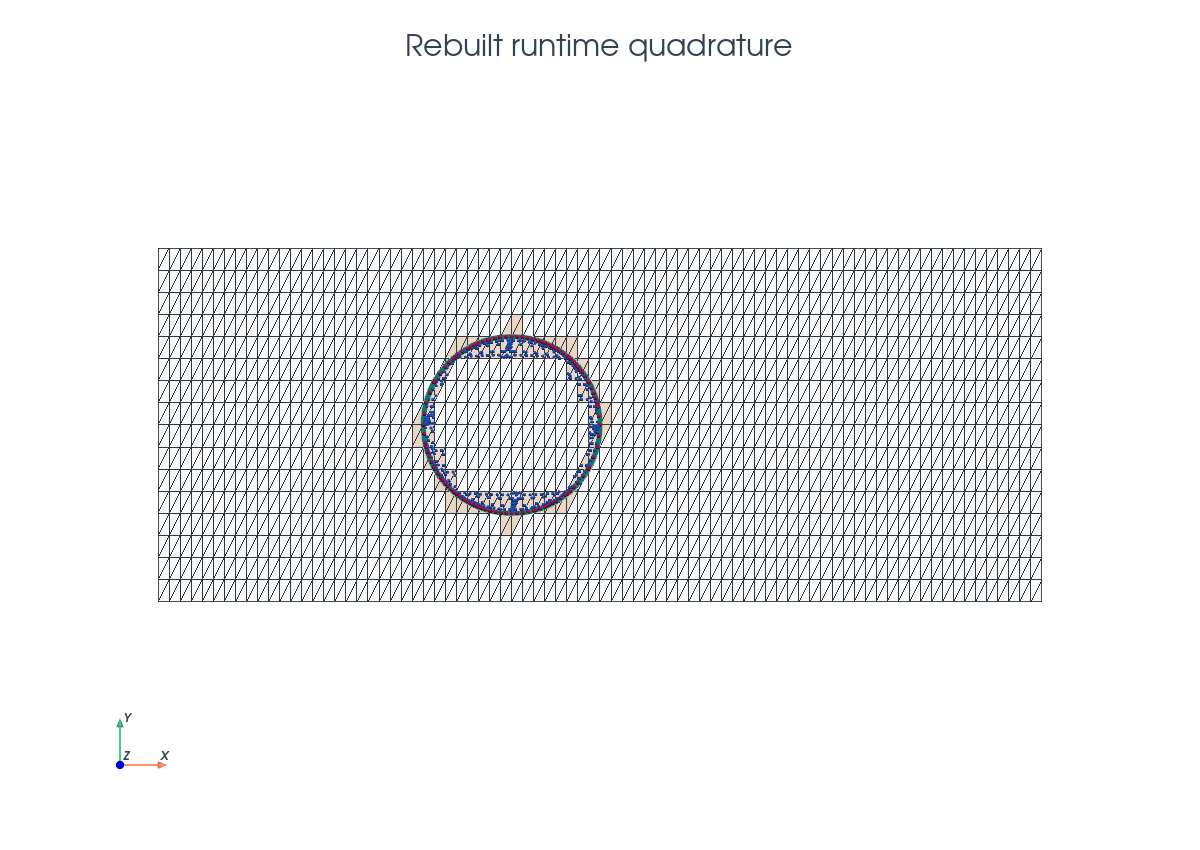
Rebuilding Quadrature And Facets#
Each moved domain gets fresh runtime quadrature rules and a fresh ghost-facet set. These objects are local to the current step.
inside_rules = cutfemx.runtime_quadrature(cut_data, "phi<0", order)
interface_rules = cutfemx.runtime_quadrature(cut_data, "phi=0", order)
ghost_facets = cutfemx.ghost_penalty_facets(cut_data, "phi<0")
Per-Step Solve Algorithm#
The weak form is the same Nitsche formulation as the scalar Poisson tutorial, but with a constant source and homogeneous boundary value.
Output#
The output is written per step. The animation below shows the same incremental sequence: update the existing cut state, solve the current step, write that step, and then move to the next level-set position.
The script writes one background file and one cut-domain file per step in
moving_poisson_xdmf/.
Run The Demo#
python python/demo/demo_moving_poisson.py
Full Source#
The complete source remains available in the repository: python/demo/demo_moving_poisson.py.