

Cut Poisson#
This tutorial follows python/demo/demo_poisson.py. It shows how to set up a
Poisson problem inside a negative level set domain.
The Nitsche and ghost-penalty formulation follows the CutFEM framework
summarized in the related literature below.
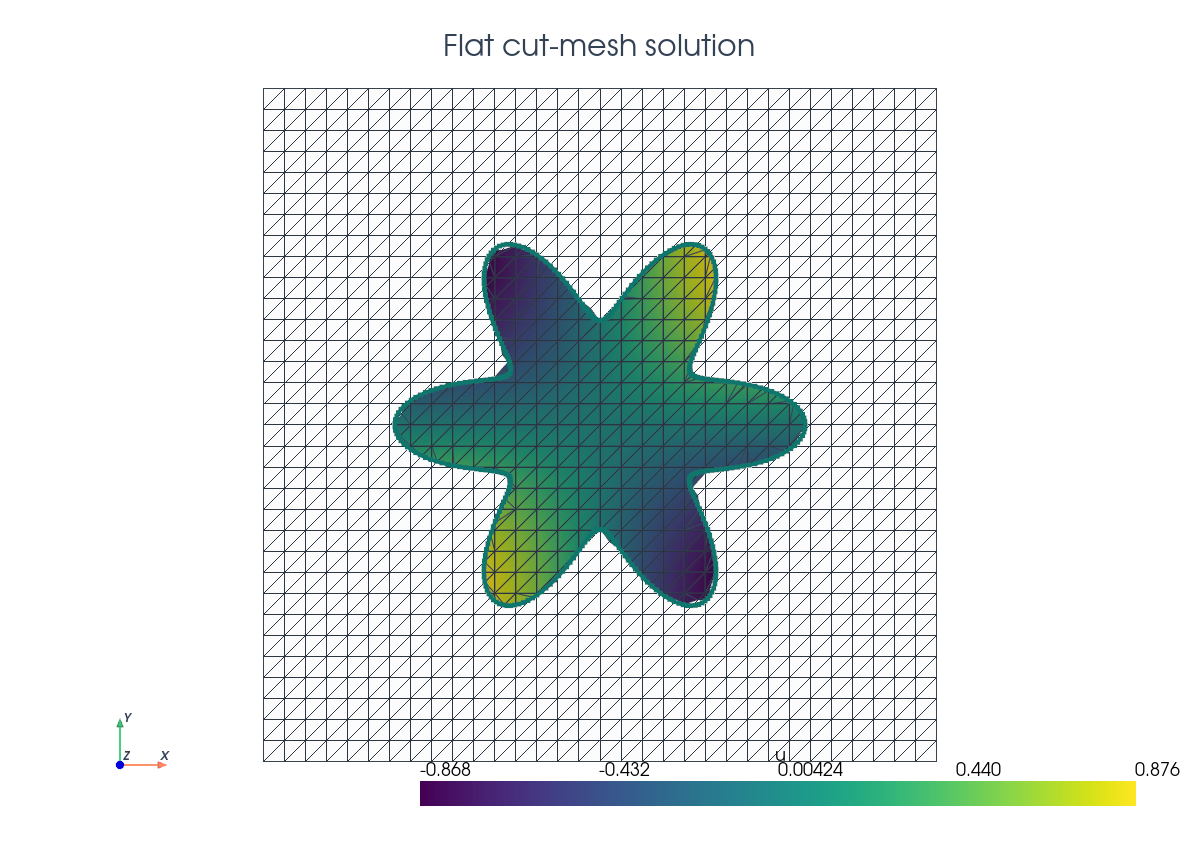
Model Problem#
Let \(\Omega_0=[-1,1]^2\) be the background domain and let the physical domain be the negative phase of a six-petal flower level set. With \(\rho=\sqrt{x^2+y^2}\) and \(\theta=\operatorname{atan2}(y,x)\),
where \(R_0=0.46\), \(A=0.15\), and \(m=6\),
so that
The demo solves the manufactured Dirichlet problem
with
Implementation Order#
The script runs in this order:
Define the flower level set.
Build the triangular background mesh and interpolate the P1 level set.
Build
cut_data, locate full inside cells, create volume/interface runtime quadrature, and select ghost-penalty facets.Build the UFL measures, function space, Nitsche form, and ghost penalty.
Wrap the UFL forms with
cutfemx.fem.form, assemble, deactivate inactive dofs usingcutfemx.fem.active_domain(a_form), and solve.Interpolate exact/error fields, assemble the cut-domain \(L^2\) error, print diagnostics, and write background plus cut-domain XDMF output.
Imports#
The script uses DOLFINx for the mesh and function spaces, UFL for the weak form, and CutFEMx for cut classification, quadrature, normals, assembly, and cut-mesh output.
from pathlib import Path

from mpi4py import MPI

import cutfemx
import numpy as np
import ufl
from dolfinx import fem, io, la, mesh
Background Mesh#
The background mesh is deliberately not fitted to the flower boundary. It is the computational mesh on which the level-set function, trial space, and assembled linear system live.
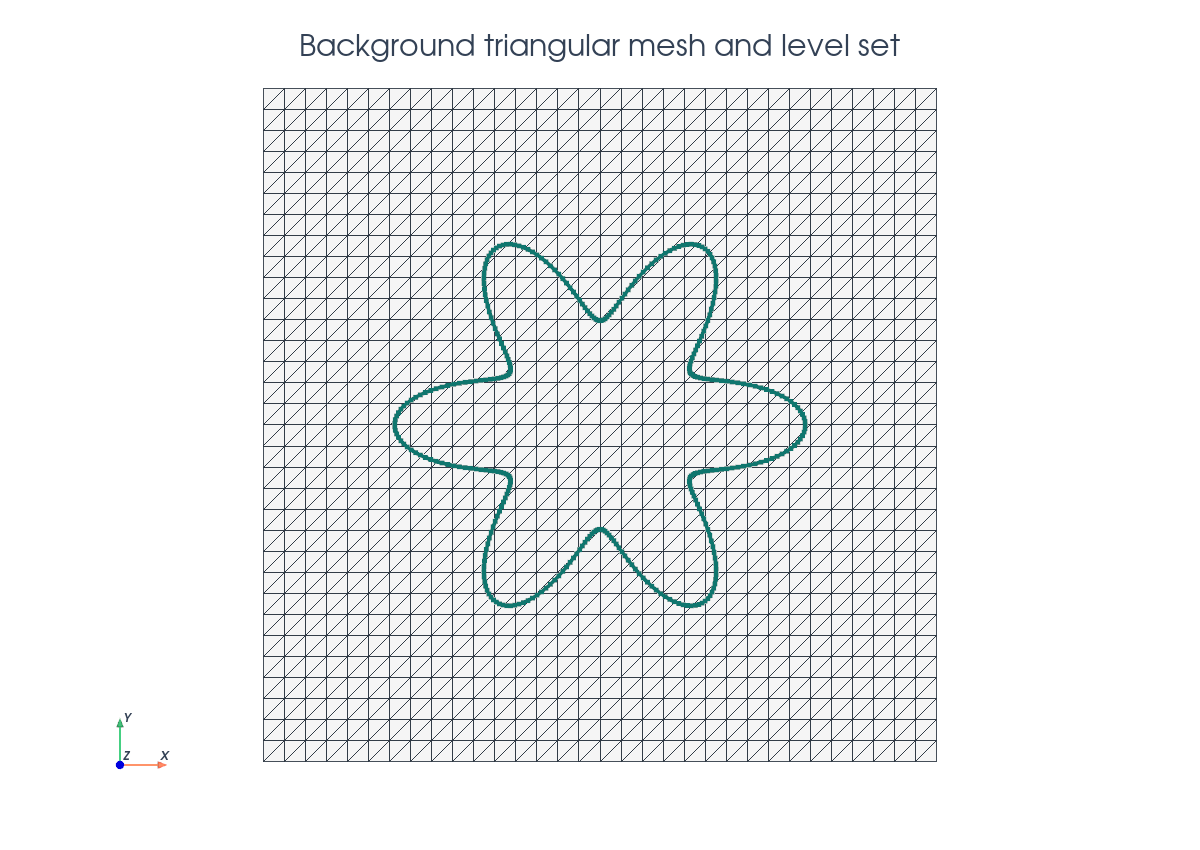
comm = MPI.COMM_WORLD
n = 32

msh = mesh.create_rectangle(
    comm,
    ((-1.0, -1.0), (1.0, 1.0)),
    (n, n),
    cell_type=mesh.CellType.triangle,
)
Level Set Function#
The implicit geometry is represented by a standard finite element function.
CutFEMx reads the level set finite element function and computes the intersection of the level set with the background mesh with cutfemx.cut. In this example, we use a linear level-set function in a triangular background mesh.
base_radius = 0.46
amplitude = 0.15
petals = 6
V_phi = fem.functionspace(msh, ("Lagrange", 1))
phi = fem.Function(V_phi, name="phi")

phi.interpolate(flower_level_set(base_radius, amplitude, petals))
phi.x.scatter_forward()
Interior Cells#
Cells fully inside the negative phase use ordinary cell integration. These are
the cells selected by the "phi<0" predicate.
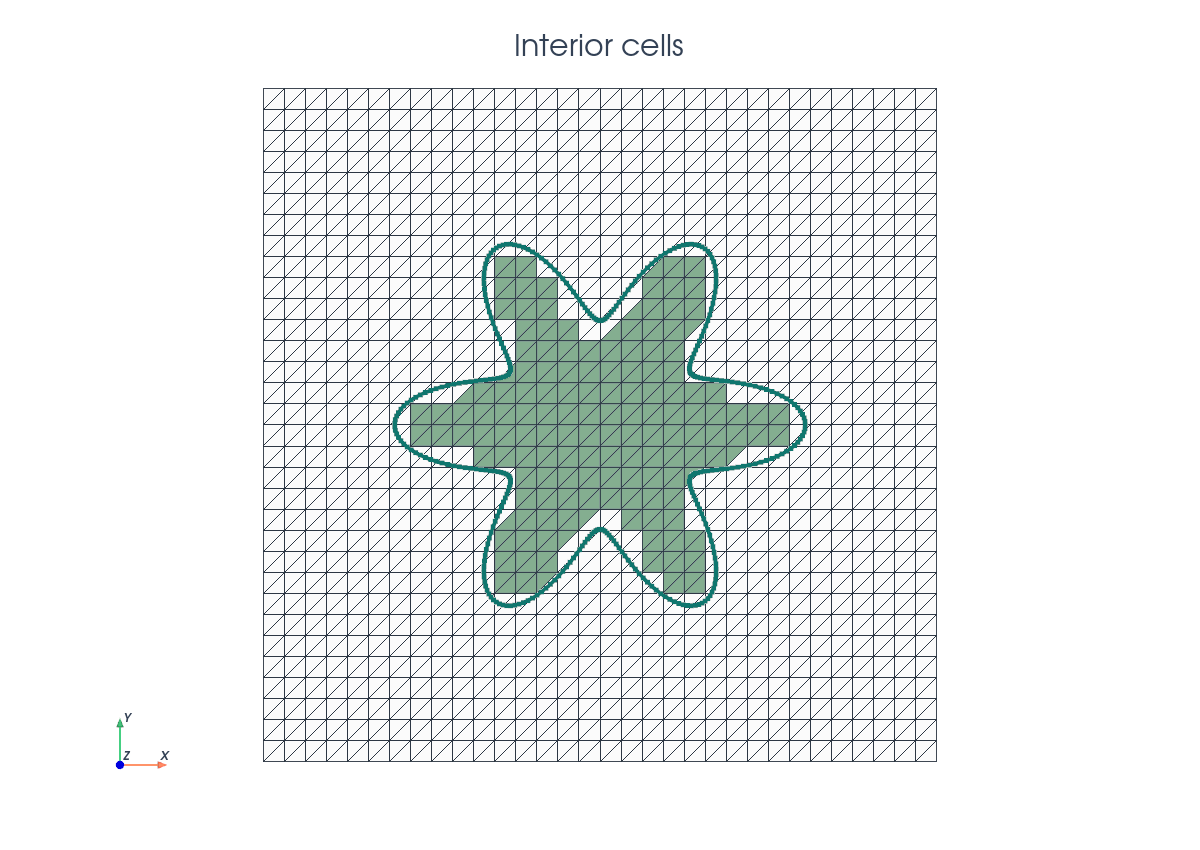
cut_data = cutfemx.cut(phi)
inside_cells = cutfemx.locate_entities(cut_data, "phi<0")
Runtime Quadrature#
Cells intersected by \(\Gamma\) need to be integrated differently. The function runtime_quadrature generates runtime quadrature rules depending on how the level set intersects the cells. For the Poisson problem we need the parts of cells that intersect with the physical domain, i.e. \(K\cap\Omega\) , and interface rules \(K\cap\Gamma\).
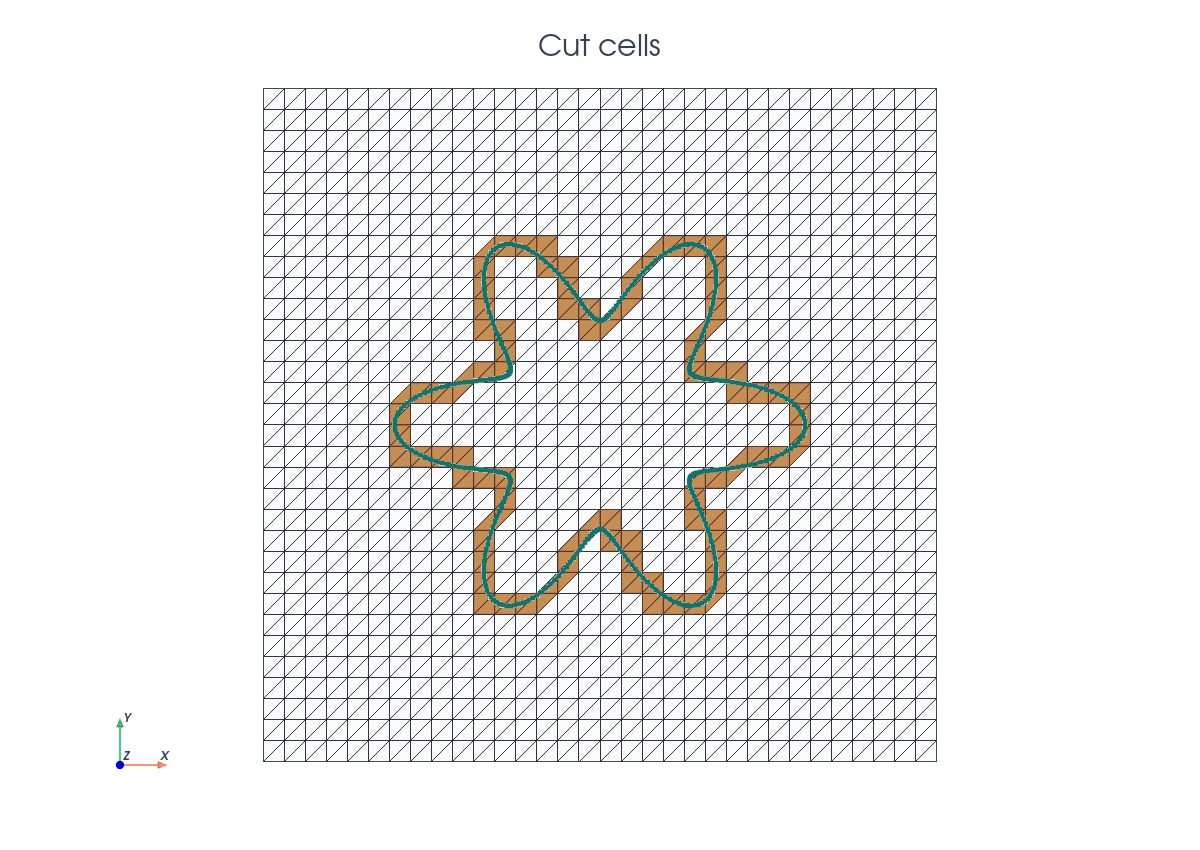
order = 4
volume_rules = cutfemx.runtime_quadrature(cut_data, "phi<0", order)
interface_rules = cutfemx.runtime_quadrature(cut_data, "phi=0", order)
The standard cells and runtime rules are combined in UFL measures:
dx_omega = ufl.Measure(
    "dx", domain=msh, subdomain_id=0, subdomain_data=[inside_cells, volume_rules]
)
dx_gamma = ufl.Measure("dx", domain=msh, subdomain_id=1, subdomain_data=interface_rules)
Each integration measure needs a different subdomain_id.
Finite Element Space#
The unknown is still a standard continuous Lagrange function on the background mesh. The restriction to \(\Omega\) is encoded by the measures and by degree-of-freedom deactivation after assembly.
V = fem.functionspace(msh, ("Lagrange", 1))
u = ufl.TrialFunction(V)
v = ufl.TestFunction(V)
x = ufl.SpatialCoordinate(msh)

u_exact = ufl.sin(np.pi * x[0]) * ufl.sin(np.pi * x[1])
f = 2.0 * np.pi**2 * u_exact
Nitsche Boundary Terms#
The embedded boundary does not coincide with mesh facets. Therefore, we enforce
Dirichlet conditions weakly using Nitsche’s method. For Nitsche’s method, we
need the outside normal to the interface, which can be computed in CutFEMx from
the level-set function with cutfemx.normal(phi). The weak formulation we want
to implement is
n_gamma = cutfemx.normal(phi)
h = ufl.CellDiameter(msh)
gamma = 40.0

a = ufl.inner(ufl.grad(u), ufl.grad(v)) * dx_omega
a += (
    -ufl.dot(ufl.grad(u), n_gamma) * v
    - ufl.dot(ufl.grad(v), n_gamma) * u
    + gamma / h * u * v
) * dx_gamma

L = f * v * dx_omega
L += (-ufl.dot(ufl.grad(v), n_gamma) * u_exact + gamma / h * u_exact * v) * dx_gamma
Ghost Penalty Facets#
Small cuts can make the unstabilized stiffness matrix ill-conditioned. Here, we use ghost penalty stabilization, which adds gradient jump penalties to intersected edges and edges that connect intersected elements to the interior.
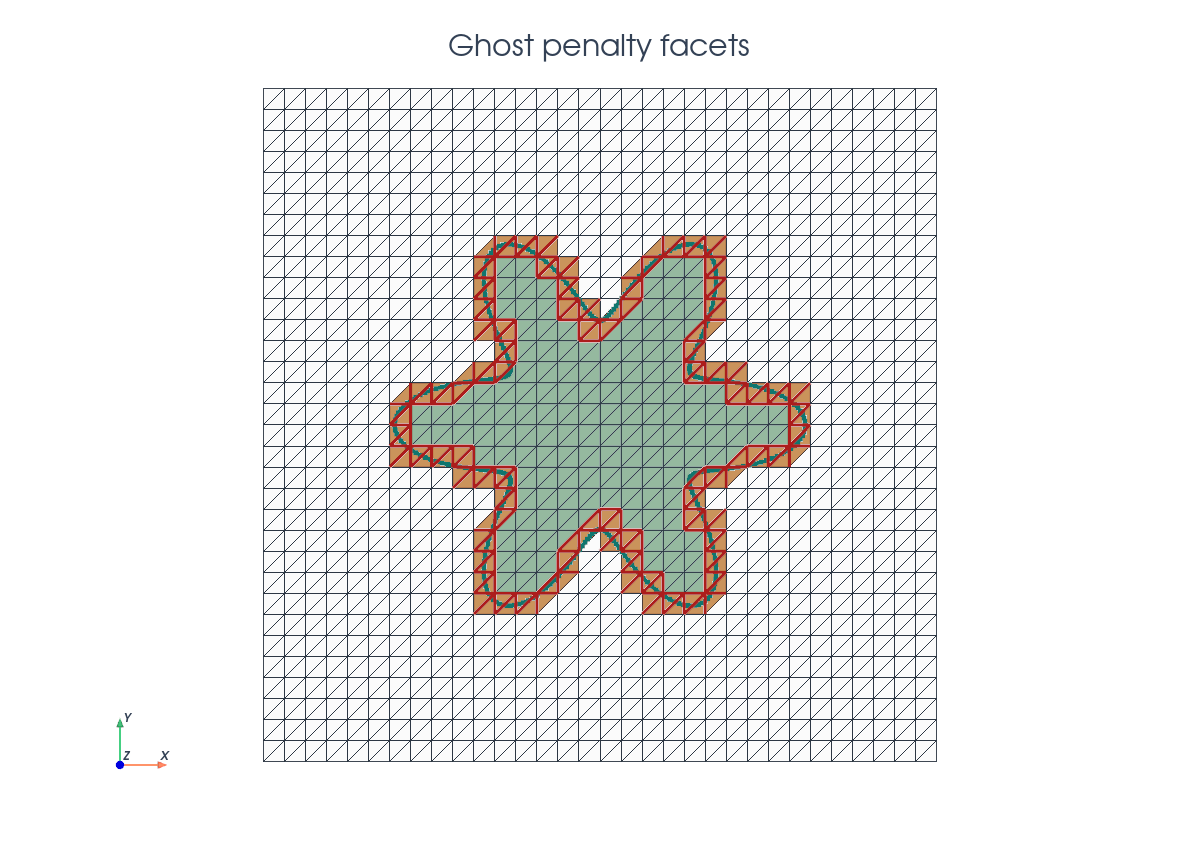
The ghost penalty terms are
which are implemented as
ghost_facets = cutfemx.ghost_penalty_facets(cut_data, "phi<0")
dS_ghost = ufl.Measure("dS", domain=msh, subdomain_id=2, subdomain_data=ghost_facets)

n_facet = ufl.FacetNormal(msh)
h_avg = ufl.avg(h)
gamma_g = 0.1

a += gamma_g * h_avg * ufl.inner( ufl.jump(ufl.grad(u), n_facet), ufl.jump(ufl.grad(v), n_facet),)* dS_ghost
Assembly And Solve#
The UFL forms are compiled as CutFEMx runtime forms. After assembly, inactive background rows are replaced by identity rows so the serial sparse system has a well-defined value on every background degree of freedom.
a_form = cutfemx.fem.form(a)
L_form = cutfemx.fem.form(L)

A = cutfemx.fem.assemble_matrix(a_form)
A.scatter_reverse()
b = cutfemx.fem.assemble_vector(L_form)
b.scatter_reverse(la.InsertMode.add)
cutfemx.fem.deactivate_outside(A, b, cutfemx.fem.active_domain(a_form))
We solve the serial MatrixCSR system with SciPy:
from scipy.sparse.linalg import spsolve

uh = fem.Function(V, name="u_h")
uh.x.array[:] = spsolve(A.to_scipy().tocsr(), b.array)
uh.x.scatter_forward()
Then we compute the exact background function and the cut-domain error
with the same dx_omega measure used for the solve:
u_exact_bg = fem.Function(V, name="u_exact")
u_exact_bg.interpolate(lambda x: np.sin(np.pi * x[0]) * np.sin(np.pi * x[1]))
u_exact_bg.x.scatter_forward()

error_bg = fem.Function(V, name="u_error")
error_bg.x.array[:] = uh.x.array - u_exact_bg.x.array
error_bg.x.scatter_forward()

error_form = cutfemx.fem.form((uh - u_exact) ** 2 * dx_omega)
error_sq = comm.allreduce(cutfemx.fem.assemble_scalar(error_form), op=MPI.SUM)
Solution Output#
The solution is written both on the background mesh and on a visualization cut mesh. The cut mesh is not used for assembly; it is only a convenient output mesh for inspecting the physical domain.
cut_mesh = cutfemx.create_cut_mesh(cut_data, "phi<0", mode="full")
uh_cut = cutfemx.fem.cut_function(uh, cut_mesh)
The script writes:
poisson_xdmf/poisson_background.xdmfpoisson_xdmf/poisson_cut_domain.xdmf
Run The Demo#
python python/demo/demo_poisson.py
Full Source#
The complete source remains available in the repository: python/demo/demo_poisson.py.