Plane on mesh facets#
This tutorial follows python/demo/demo_mesh_aligned.py. A level set can vanish
on whole facets of the mesh, as fitted geometry does. No cell is cut there, and
the surface belongs to both cells that share each facet. CutCells integrates
it once, on the facets, and you choose which cells take it.
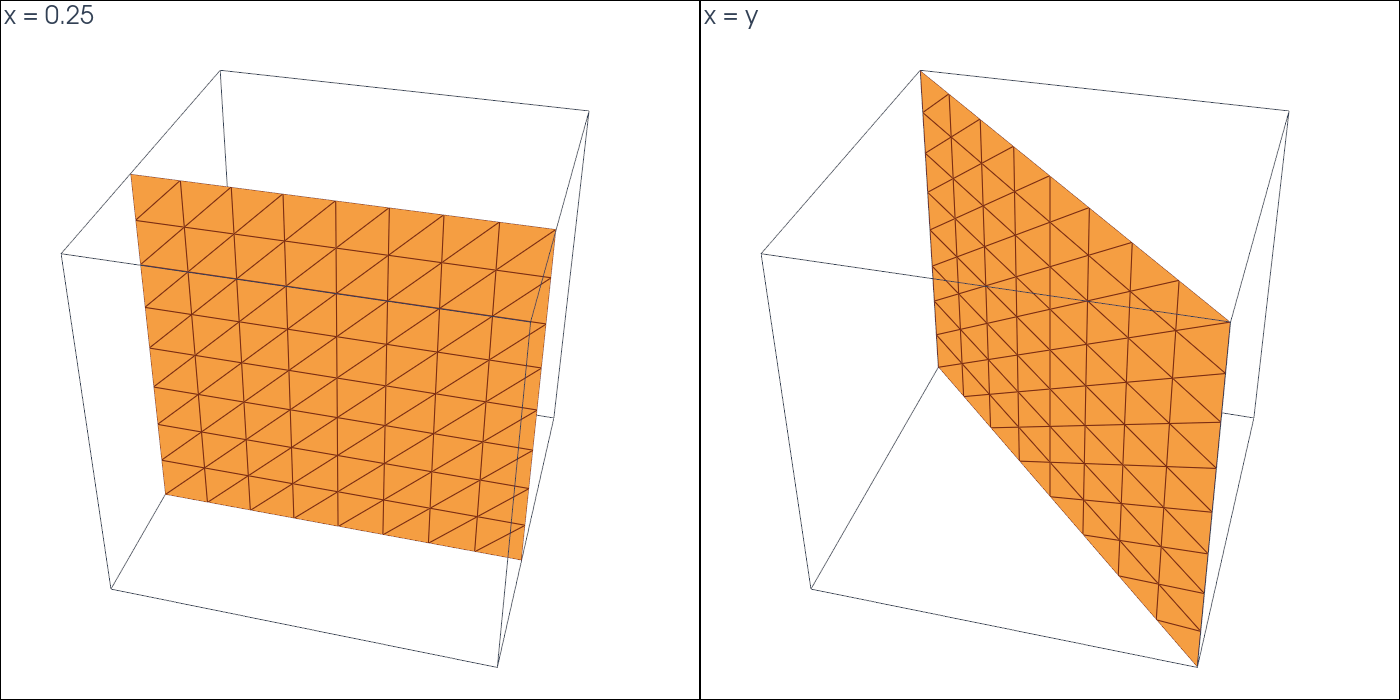
Geometry#
The mesh covers \([-1,1]^3\) with 3072 tetrahedra, and one level set is used at a time:
Rules on the Facets#
entity_quadrature returns the rules on the facets, one rule per facet with
the cells that share it:
phi = cutcells.create_level_set(mesh, lambda X: X[0] - 0.25, degree=1, name="phi")
result = cutcells.cut(mesh, phi)
face = result[phi == 0]

on = face.entity_quadrature(order=2).facets
on.weights.sum()    # the area, each facet once
on.cells            # per rule, the cells sharing the facet
Rules in the Cells#
For assembly over cells, quadrature(entities=...) folds these rules into the
cell rules. Every policy integrates the same surface and sends it to different
cells:
|
Which cells take a facet’s rule |
|---|---|
|
both sharing cells, each with half the weight |
|
the cell on the side \(\phi<0\) |
|
the cell on the side \(\phi>0\) |
|
the sharing cell of lowest index |
|
none: use |
Results#
tetrahedra: 3072
x = 0.25: cut cells 0, facets on the plane 128
  on the facets, once each: area 4.00000000000000, exact 4.00000000000000
  volume phi < 0: 5.00000000000000, exact 5.00000000000000
     entities=    area in cell rules   cells with points
         split      4.00000000000000                 256
      negative      4.00000000000000                 128
      positive      4.00000000000000                 128
         owner      4.00000000000000                 128
       exclude      0.00000000000000                   0
x = y: cut cells 0, facets on the plane 128
  on the facets, once each: area 5.65685424949238, exact 5.65685424949238
  volume phi < 0: 4.00000000000000, exact 4.00000000000000
     entities=    area in cell rules   cells with points
         split      5.65685424949238                 256
      negative      5.65685424949238                 128
      positive      5.65685424949238                 128
         owner      5.65685424949238                 128
       exclude      0.00000000000000                   0
See Quadrature and output for all fields of the rules.
Run the Demo#
python python/demo/demo_mesh_aligned.py
Options: --n grid points per side (\(8k+1\), so that \(x=0.25\) is on the grid),
--order of the quadrature, --output-dir for the VTU files, --no-plot and
--screenshot file.png.